Bank Statement Converter
Turn PDF bank statements into clean, validated Excel workbooks. Balance-chain validation catches errors before you download.
- Balance validation catches missing rows and sign errors
- Works with digital, scanned, and mixed PDFs
-
Issues flagged with
needs_reviewfor quick checking
No signup required • First conversion included • Files auto-deleted
Not just PDF extraction. Balance-verified Excel.
Generic PDF converters produce tables that look right but fail during reconciliation. ExtractaLedger validates output using running-balance checks to catch missing rows, sign errors, and layout problems before you download.
- Layout-aware extraction respects columns and multi-line descriptions
- Balance-chain validation checks arithmetic across the statement
- Workbook shows exactly where to look if anything is off
Validation Result
PASSWorks with Any PDF Format
ExtractaLedger detects PDF type automatically and uses the best extraction method
Digital PDFs
- Best results and accuracy
- Layout-aware extraction
- Strongest validation outcomes
- Most bank exports
Scanned PDFs
- OCR-assisted extraction
- Results depend on scan clarity
- More rows may be flagged
- Best with 300+ DPI scans
Mixed PDFs
- Combination of both methods
- Common in long statements
- Or merged files
- Handled automatically
See What You Get
Explore the four workbook tabs you'll download after conversion
 Click to enlarge
Four Tabs, Complete Picture
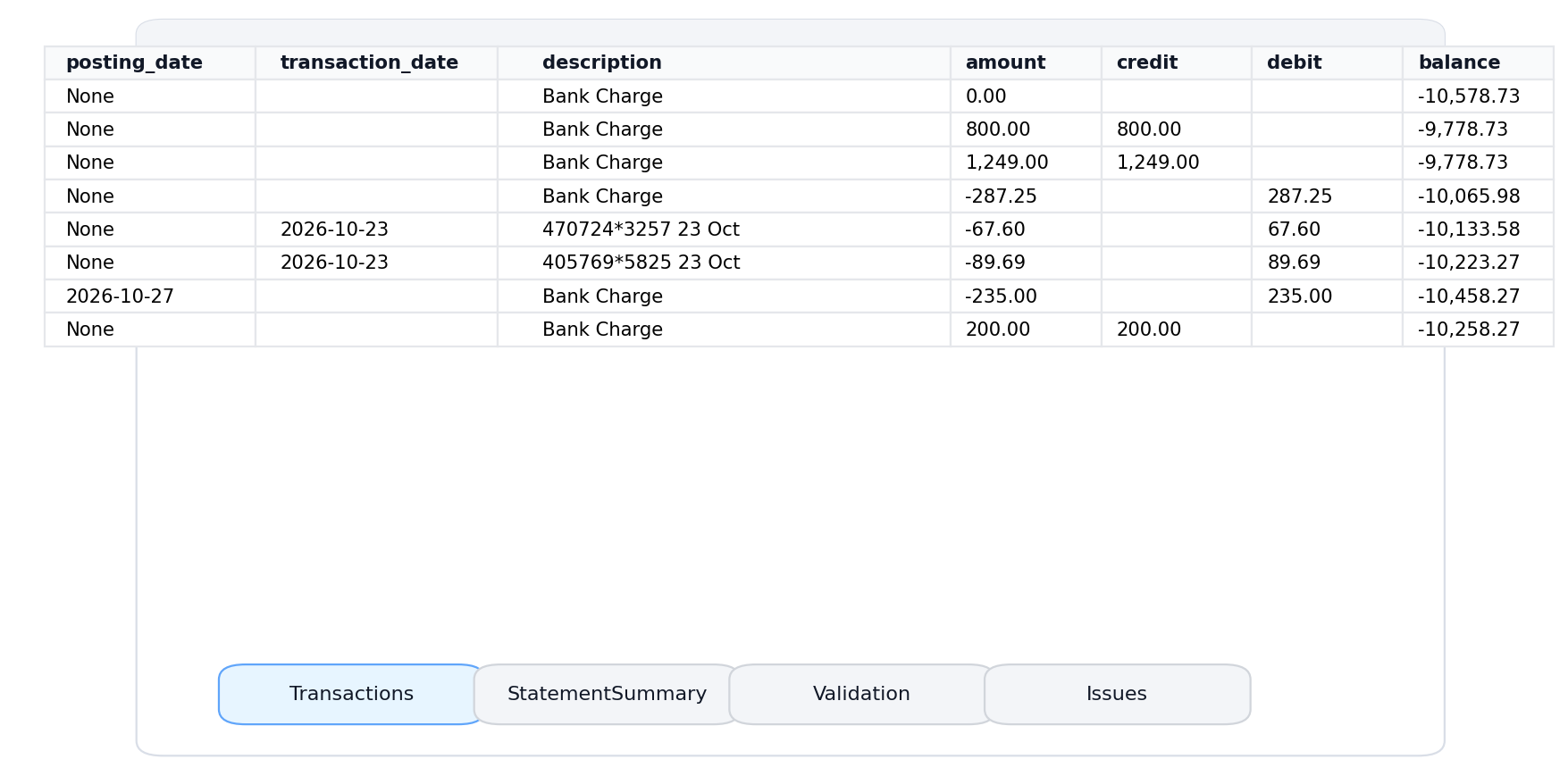
Transactions
One row per transaction. Multi-line descriptions merged. Ready for pivot tables.
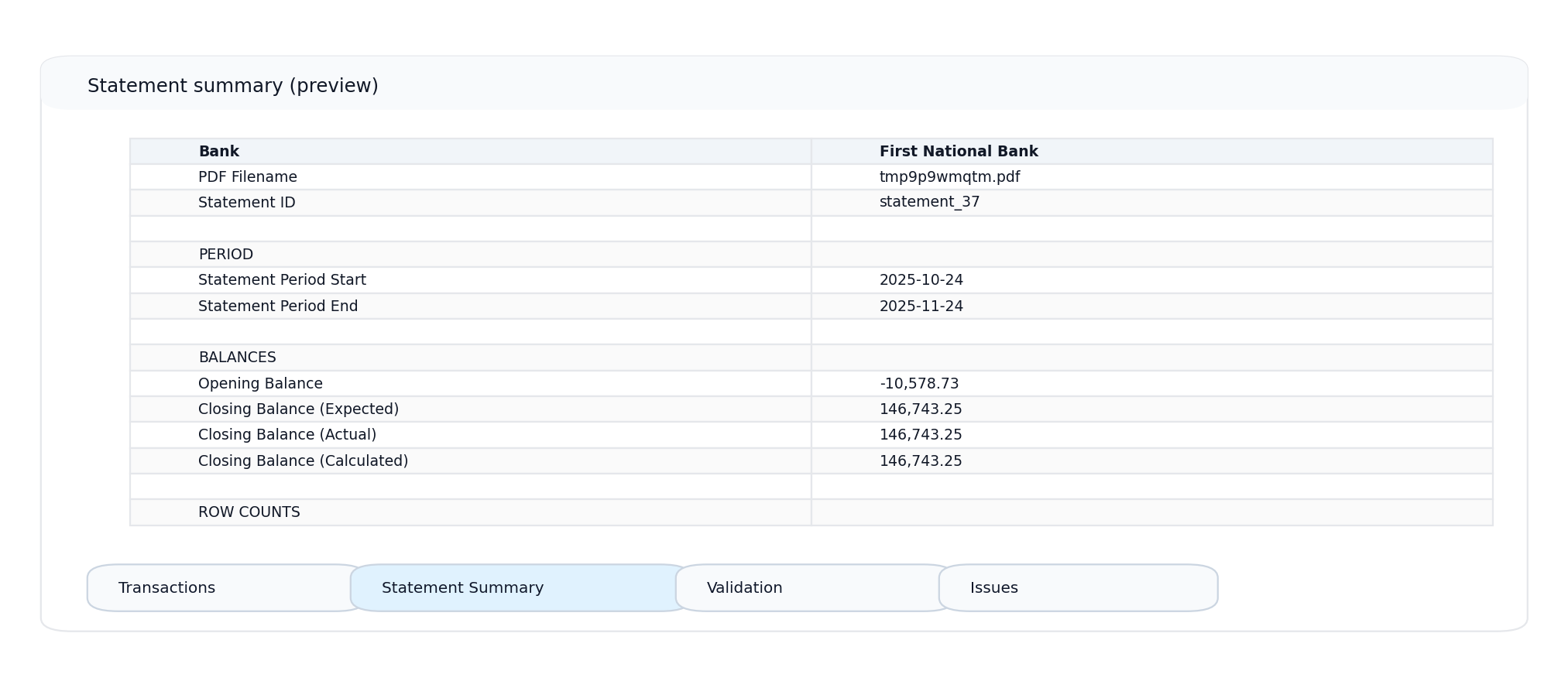
Statement Summary
Account number, period, balances, and totals at a glance.
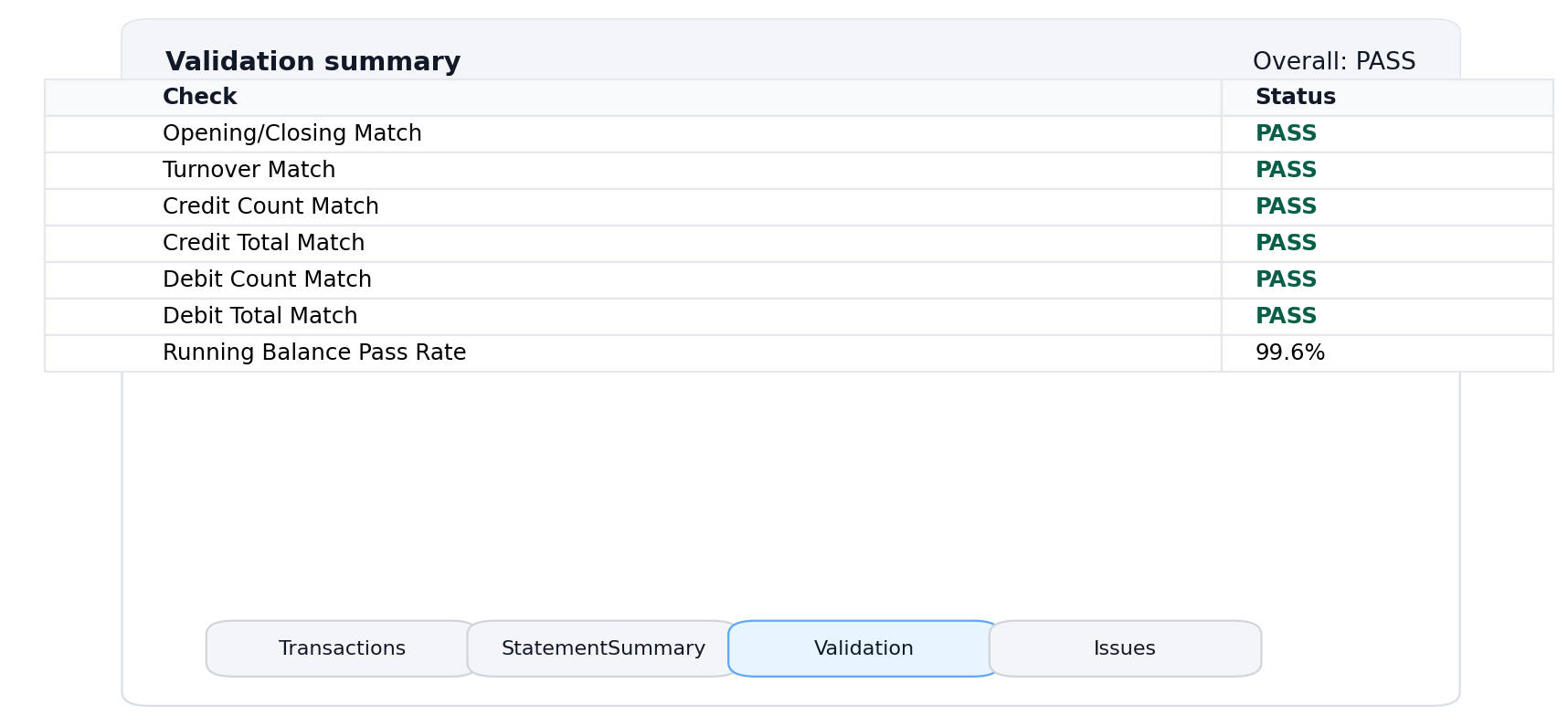
Validation
PASS/FAIL results for balance-chain, opening, and closing checks.
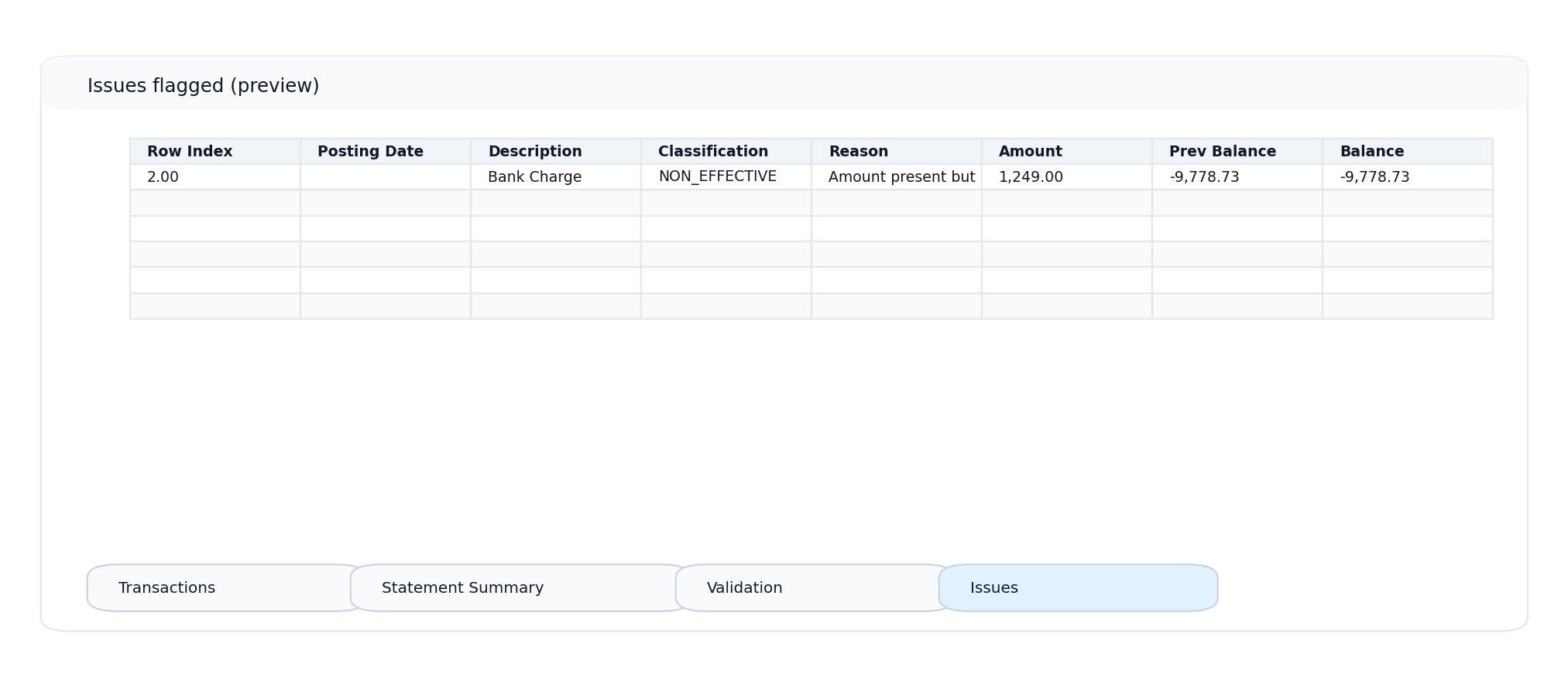
Issues
Flagged rows with reasons. Jump straight to what needs attention.
What you see is what you get. These screenshots are from actual conversions. The workbook structure is consistent across all supported banks.
How Conversion Works
From PDF upload to validated Excel in five steps
Upload PDF
Drop your statement. No password protection.
Extract Data
Tables identified. Rows structured.
Normalise
Debits and credits standardised.
Validate
Balance chain checked. Issues flagged.
Download
Formatted XLSX ready to open.
Your Data Stays Private
Bank statements contain sensitive information. ExtractaLedger is built with privacy as a core requirement, not an afterthought.
What happens to your files:
- PDF processed and removed immediately after conversion
- XLSX stored briefly via expiring download link
- No data used for AI training
- HTTPS encryption in transit
Built for Financial Professionals
Anyone who needs statement data in Excel with confidence
Bookkeepers & Accountants
Process client statements faster with validated data ready for import
Small Business Owners
Reconcile accounts without manual data entry errors
Finance Teams
Standardise statement processing across multiple accounts
Auditors & Compliance
Verify transaction data with built-in validation trail
Before You Convert
Quick checklist for best results
PDF is not password-protected
Encrypted PDFs cannot be processed
All pages are included
Missing pages often cause validation failures
Balance column exists
Enables stronger validation
Scan is clear (if scanned)
OCR needs readable text, 300+ DPI best
Frequently Asked Questions
Ready to Convert Your Statement?
Upload a PDF and download a validated Excel workbook in seconds.
No signup required • First conversion included • Pay only for successful conversions