Will Your Bank PDF
Convert to Excel?
Most bank statement PDFs work. Use the Format Finder to check yours in seconds, or scroll down to learn about the three PDF types we support.
Format Finder
Answer 3 questions to check compatibility
Select options above to check compatibility
Your PDF should work.
Convert NowMay need extra steps.
Try It NowPassword-protected PDFs need unlocking first.
Remove the password using your PDF viewer or bank, then try again.Quick Compatibility Checklist
Most bank statements meet these requirements
Works Great
- Downloaded from online banking
- Text is selectable (not just an image)
- Has date, description, and amount columns
- Running balance present (enables validation)
- Clear, high-contrast scans (if scanned)
May Need Review
- Low-resolution scans (under 200 DPI)
- Handwritten annotations
- No running balance column
- Multi-currency statements
- Heavily redacted statements
Won't Work
- Password-protected (unlock first)
- Corrupted or damaged files
- Image files (.jpg, .png) not PDFs
- Encrypted PDFs without password
Three Types of Bank Statement PDFs
We handle all three types using different extraction strategies
Digital PDFs
Downloaded directly from online banking portals. Text is embedded and selectable.
- 99%+ extraction accuracy
- Fastest processing time
- Full balance validation
Scanned PDFs
Paper statements that were scanned. Each page is essentially an image inside a PDF wrapper.
- OCR text recognition
- 95%+ accuracy on clear scans
- 300 DPI recommended
Mixed PDFs
Some pages are digital, others are scanned. Common when banks merge statements or you combine files.
- Auto-detects page type
- Applies best method per page
- Unified output format
See What You Get
Explore the four workbook tabs you'll download after conversion
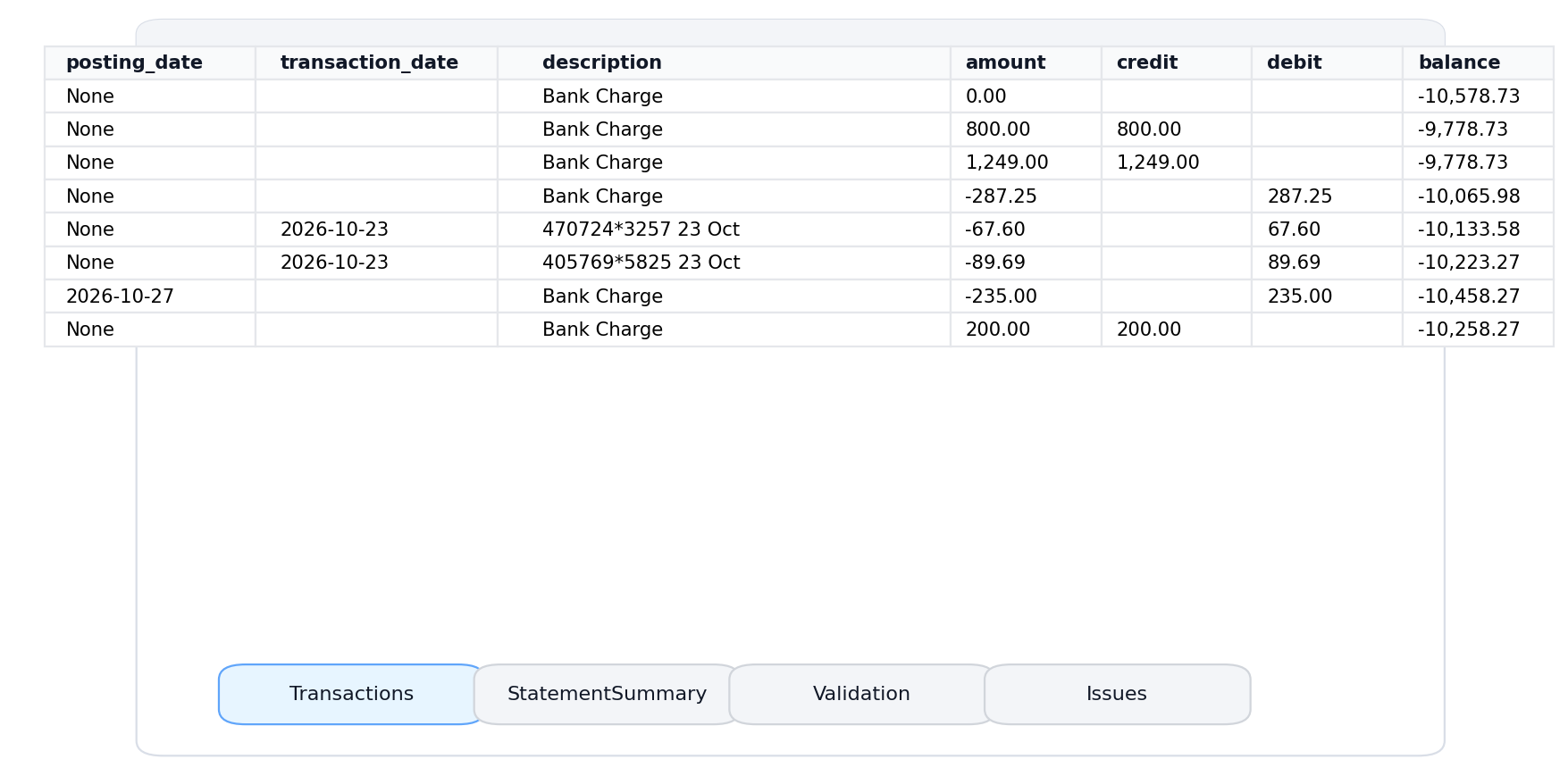 Click to enlarge
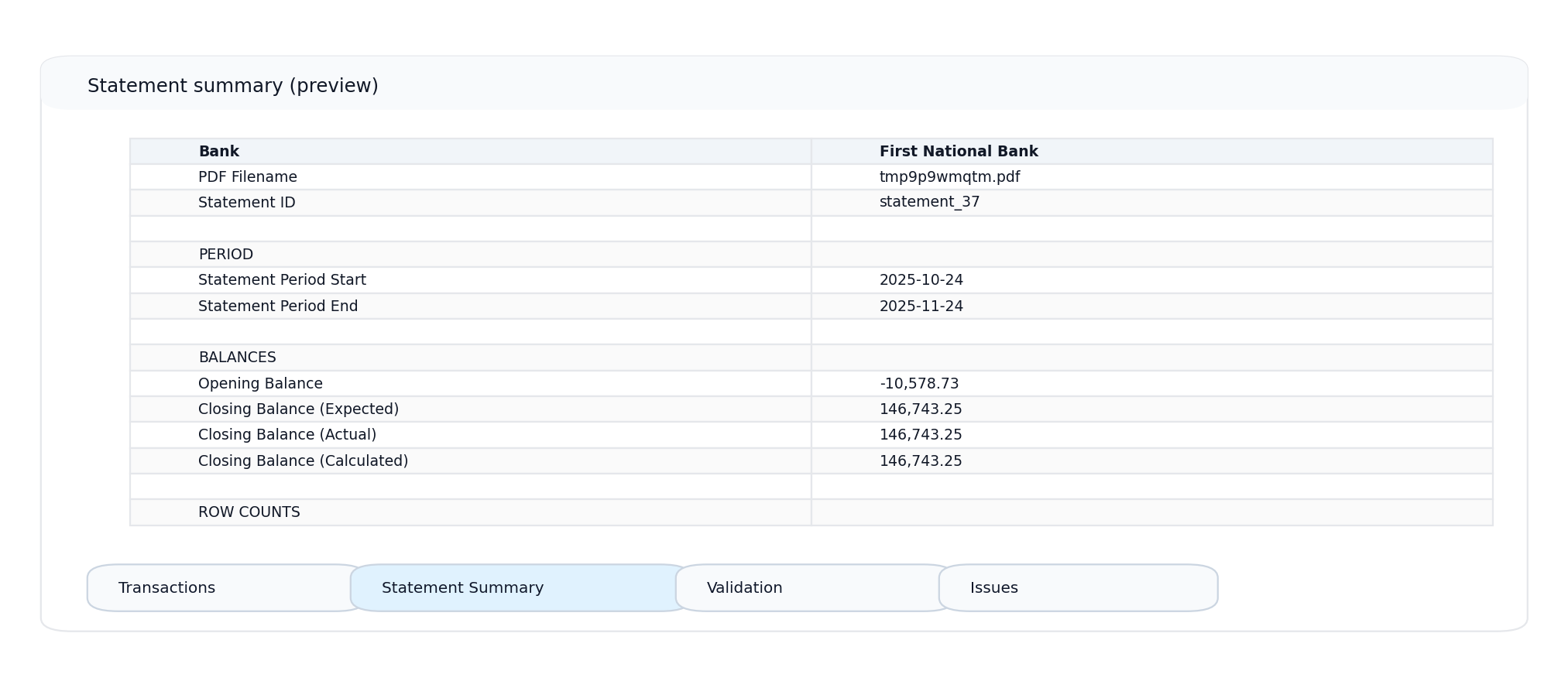
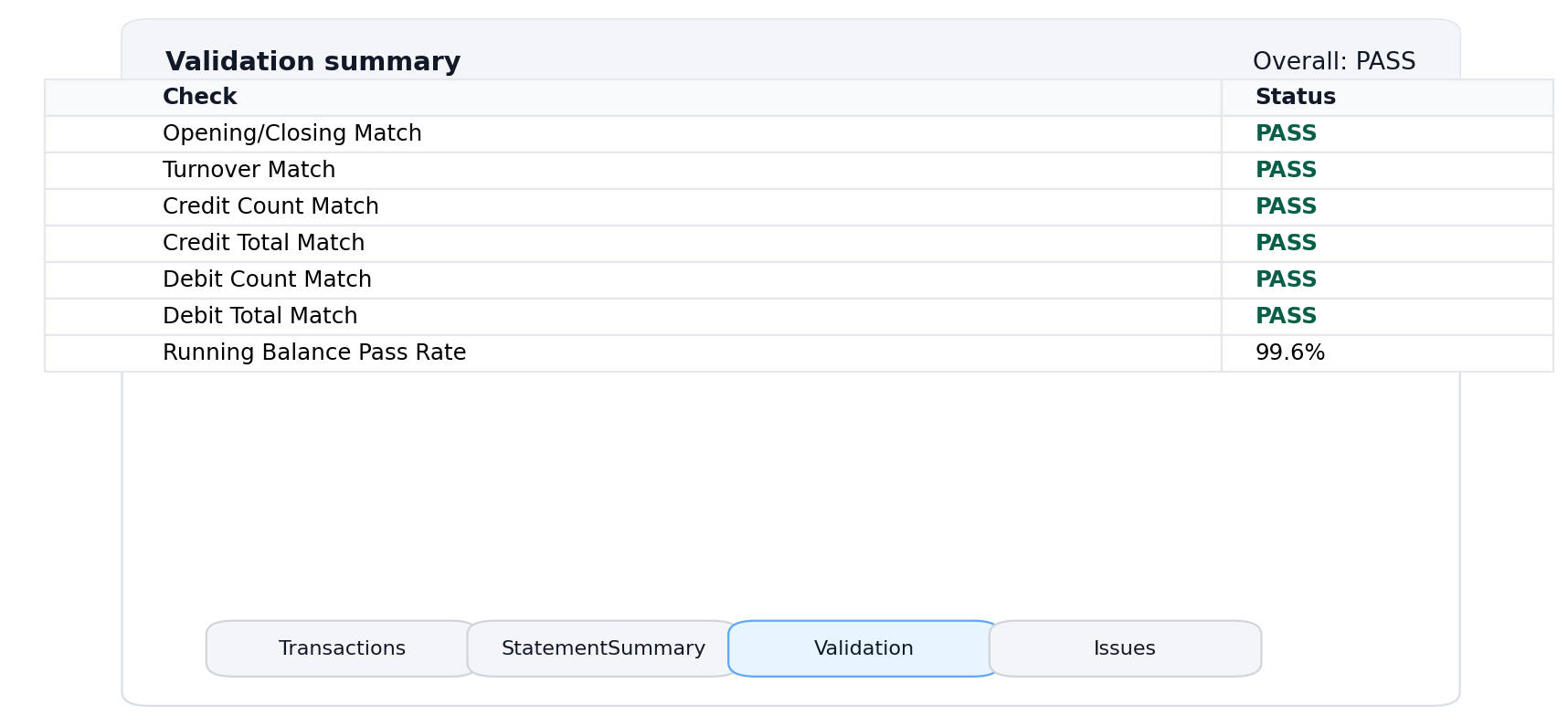
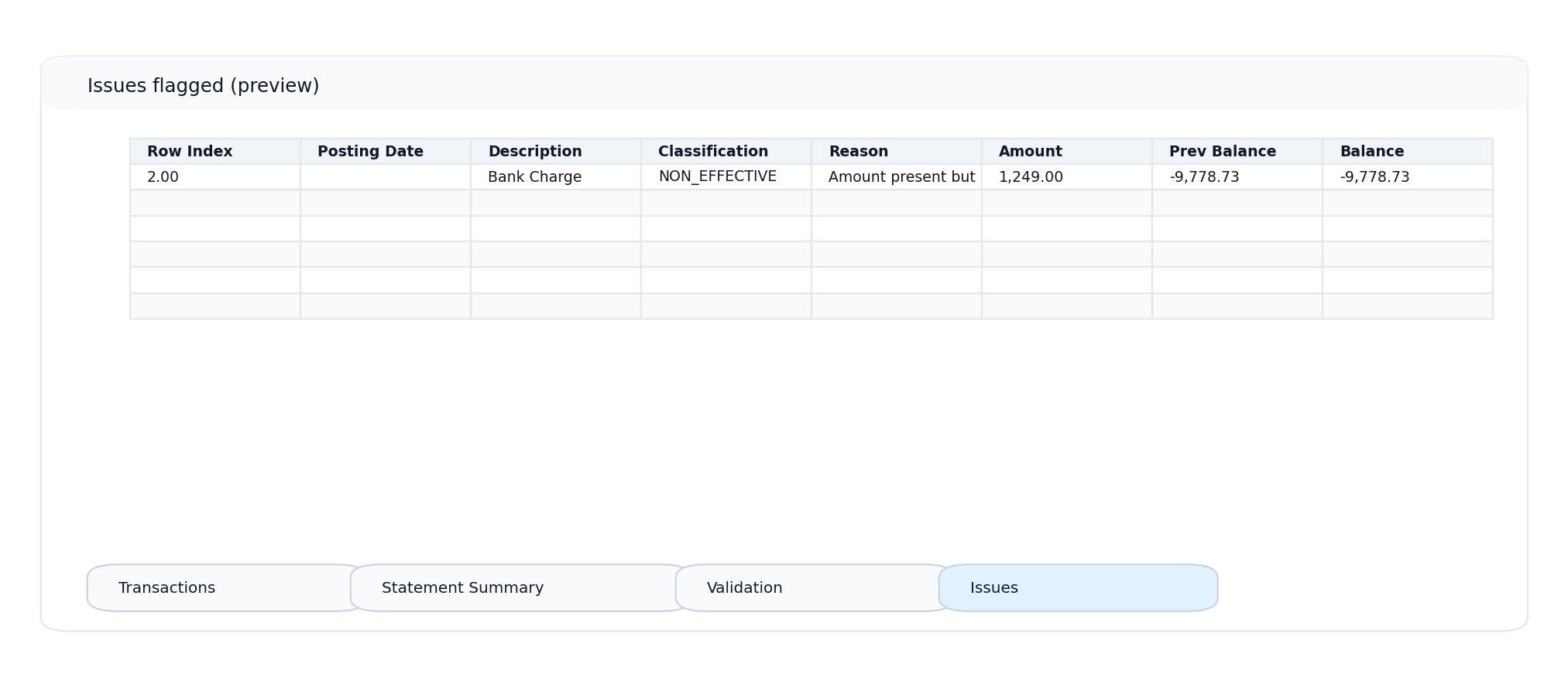
Four Tabs, Complete Picture
Transactions
One row per transaction. Multi-line descriptions merged. Ready for pivot tables.
Summary
Account number, period, balances, and totals at a glance.
Validation
PASS/FAIL results for balance-chain, opening, and closing checks.
Issues
Flagged rows with reasons. Jump straight to what needs attention.
What you see is what you get. These screenshots are from actual conversions.
Common Statement Layouts
We handle various column arrangements automatically
Standard Layout
Most common format with separate debit/credit columns. Enables full balance-chain validation.
Single Amount
Negative amounts for debits, positive for credits. Full validation when balance column present.
No Balance Column
Without running balance, we can't verify extraction accuracy. Review the Issues tab carefully.
Not Supported
-
CSV/Excel filesAlready in spreadsheet format
-
Image files (.jpg, .png)Not PDFs - convert first
-
Password-protected PDFsUnlock before uploading
How OCR Extraction Works
For scanned statements, we use optical character recognition
Image Analysis
We analyze each page to detect if it's digital or scanned, applying the optimal extraction method.
OCR Processing
For scanned pages, OCR converts the image to text while preserving spatial layout.
Table Detection
We identify table structures, column headers, and transaction rows across all page types.
Validation
Running balances are recalculated to verify accuracy. Mismatches are flagged for review.
Tips for Best OCR Results
Format Questions
Common questions about PDF compatibility
Troubleshooting
Quick fixes for common issues
Extraction looks garbled or misaligned
Usually indicates a scanned PDF with low resolution. Try re-scanning at 300 DPI with the page straight on the scanner bed.
Balance validation fails on every row
The statement may not have a running balance column, or we misidentified which column contains balances. Check the Issues tab for specifics.
Some transactions are missing
Multi-column layouts sometimes have transactions that span columns. Check if your statement uses a two-column format and contact support with an example.
Dates are wrong or in wrong format
We auto-detect date formats, but ambiguous dates (like 01/02/03) may be misinterpreted. The Issues tab shows which format we detected.
Related Resources
Ready to Convert Your Statement?
Upload any bank statement PDF and get clean, validated Excel data.
No signup required • First conversion included